Travel Journal Stamps: Postmark a Photo with Date and Place
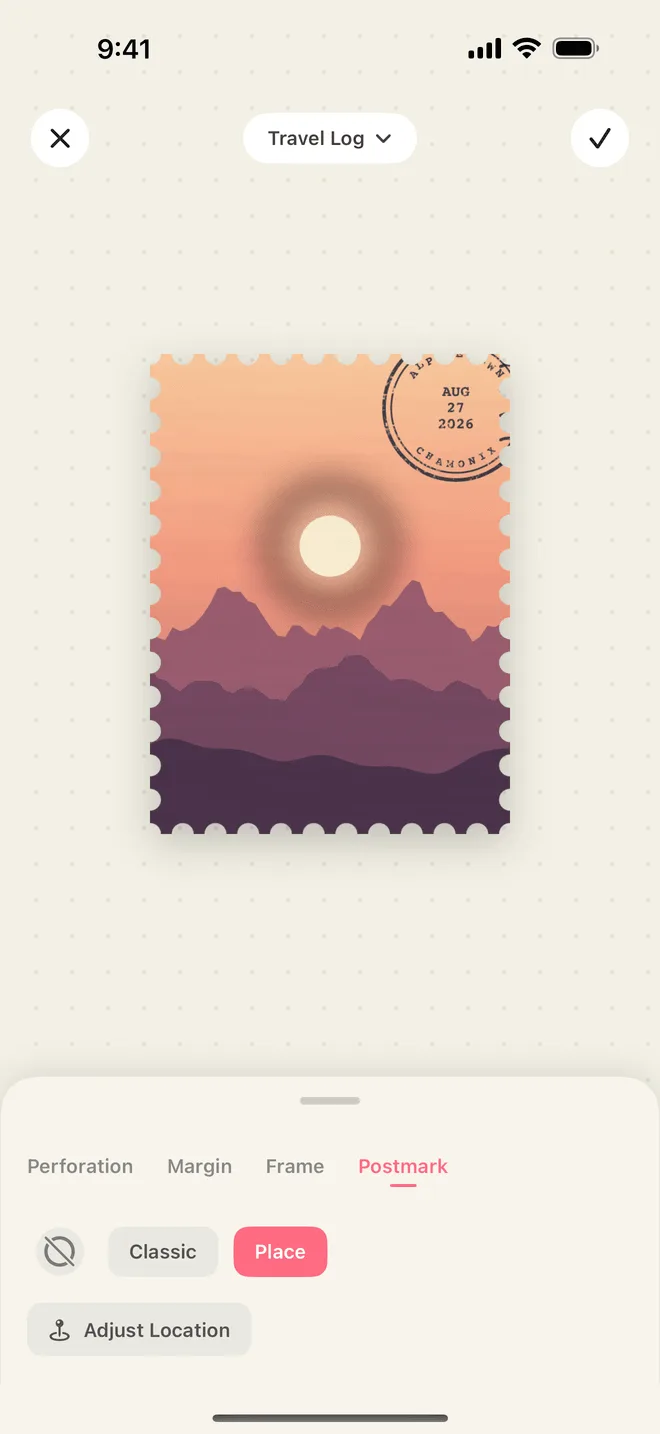
A photograph remembers what a place looked like. It is much worse at remembering when you were there, and nearly useless at remembering where there was. Open a journal from a trip two years ago and you will find a spread of good pictures and no idea which morning they belong to. A postmark solves that in about a centimetre of ink: one date, one place name, printed over the picture itself.
What a postmark does in the mail
In a post office, a postmark has two jobs at once. It cancels the stamp, so that a stamp which has carried one letter cannot carry another, and it timestamps the envelope: the town where the letter was accepted, and the day it was accepted. That is the whole of it — a place, a date, and a ring of ink heavy enough to survive the sorting machine.
The plainness is the point. Nobody designed a postmark to be lovely; it is a record, made at the moment the letter entered the system. That is also why it looks so convincing on a photograph. A caption is something you sat down and wrote afterwards. A postmark reads like something that simply happened.
Why it suits a travel journal
A journal page is usually a photo and, if you were disciplined that evening, a line of handwriting underneath. The photo carries the feeling. The handwriting carries the facts, and the handwriting is the part that never gets done.
A photo plus a date plus a place name is a complete record. It is small enough that you will actually finish it, and specific enough that you can come back years later and place the picture exactly: this was the second morning, and it was still Reykjavík. Once every picture from the trip carries a date, the trip also sorts itself — the pages fall into the order the days did, without you numbering anything.
Making one in InStamp
Every stamp you cut in InStamp can carry a postmark, added in the editor’s postmark tab.
Two styles
There are two postmark styles. The classic one is the plain cancellation — the date, and the rings of ink around it. The other is a place style, which carries a place name alongside the date, the way a town’s own postmark would.
Which to use is mostly a question of what the picture is missing. A photograph of a street market already announces that it is somewhere warm and crowded; what it does not say is that it was Tuesday. A photograph of a mountain at sunrise says nothing about which mountain, and the place style says it for you.
Where the date and the place come from
The date defaults to the time the photograph was taken, so a picture shot on the road already knows its own day and you can leave the field alone. The place is optional: it needs location permission to fill itself in, and if you would rather not grant that, or the photo has no location on it, you can simply type the place name you want.
That second option matters more than it sounds. Journaling usually happens later — on the flight home, or on a wet weekend in November. Photos imported from your library, screenshots of a map, a scan of a ticket: none of them arrive with a useful place attached, and typing “Kyoto” takes a second. You are also free to write the name you actually use for a place rather than the one an address database would pick.
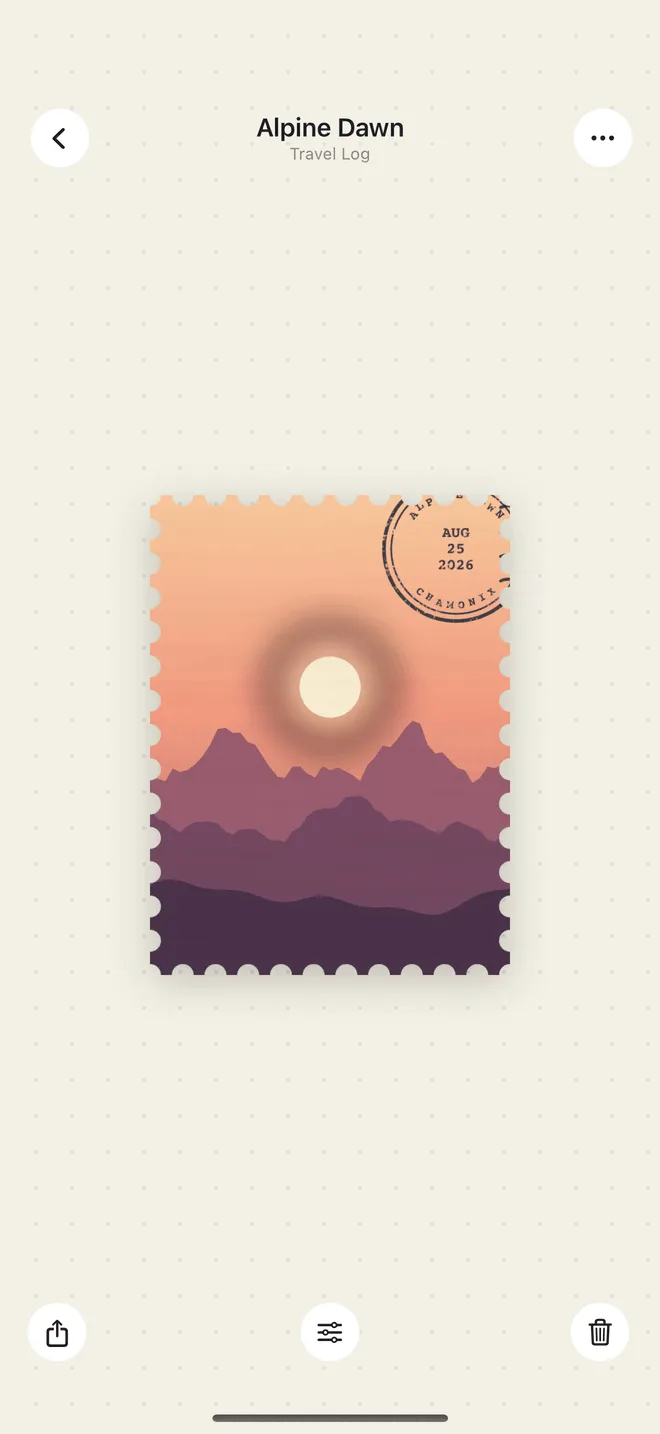
Both fields stay editable. You can change the date and the place while you are making the stamp, and you can change them afterwards on the stamp’s detail page, which is where most corrections happen — you notice the date is a day off only once the stamp is sitting in the collection next to its neighbours.
Placing it by hand
The postmark is not locked to a corner. Drag it wherever you like, and rotate it to any angle.
The version that looks most like the real thing is a little careless. Real cancellations land where the envelope happened to be under the machine: slightly crooked, half over the picture and half over the perforation, sometimes running off the edge. Try putting it across a quiet corner of the photograph — sky, snow, a blank wall — at a few degrees off level, rather than centred and straight. Keep it off faces and off anything you want to be able to read.
Working through one trip
The tidiest arrangement is one collection per trip. Make the book, name it after the trip, give it a colour, and put everything from those ten days inside it.
Then sort the collection by date, and it reads like a diary: first morning at the top, last evening at the bottom. On a stamp’s detail page you can swipe left and right to move to the previous or next stamp, which is the closest thing to leafing through the trip. For the page itself, dot-grid or ruled layouts sit closest to a paper journal — the dots and lines behind the stamps make the book feel written in rather than filed.
Note that the date on the postmark and the date the collection sorts by are doing the same work, so fixing a wrong date fixes both at once.
Getting the stamps into your journal
When a stamp is ready, the share sheet offers five styles. For journalling, the transparent one is the one you want: the stamp comes out with its perforations cut clear of the background, so you can drop it onto any page in any journal app, or print it and cut around the edge with scissors. The others have their own uses — ambient for posting, collection when you want the stamp shown on its album page, magnet and original for sharing a single piece as it is. Exports are high resolution, saved to your photo library or handed straight to whoever you are sending it to. Shares from the free version carry a small watermark, which Pro lets you switch off.
What stays on your phone
The postmark prints a place name, and nothing more than a place name. All of the work — the cutting, the perforation, the postmark — happens on your iPhone; there are no servers behind InStamp holding your photos. Location permission is optional, only ever used to fill in that name, and the app sends out nothing but anonymous crash and usage data — never your photos, your stamps, or where you were. The support page has the longer answer.